Talus
Goals
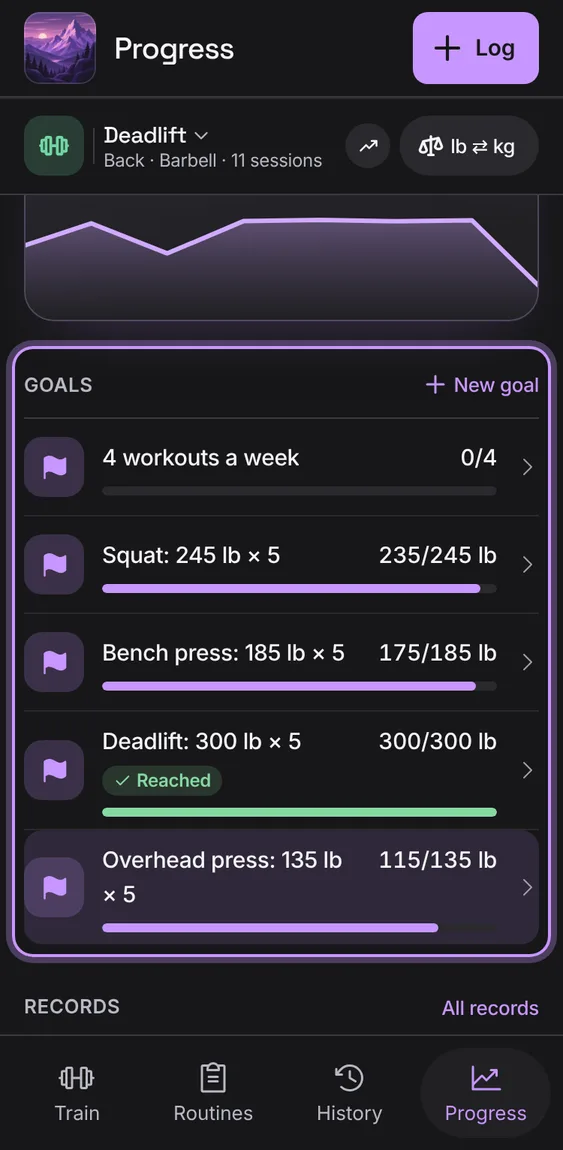
Set a weekly workout goal or a lift to reach. Each goal shows this week plainly as a bar with its figures, and Reached when it's done. No streaks or scores.
Every Goals feature
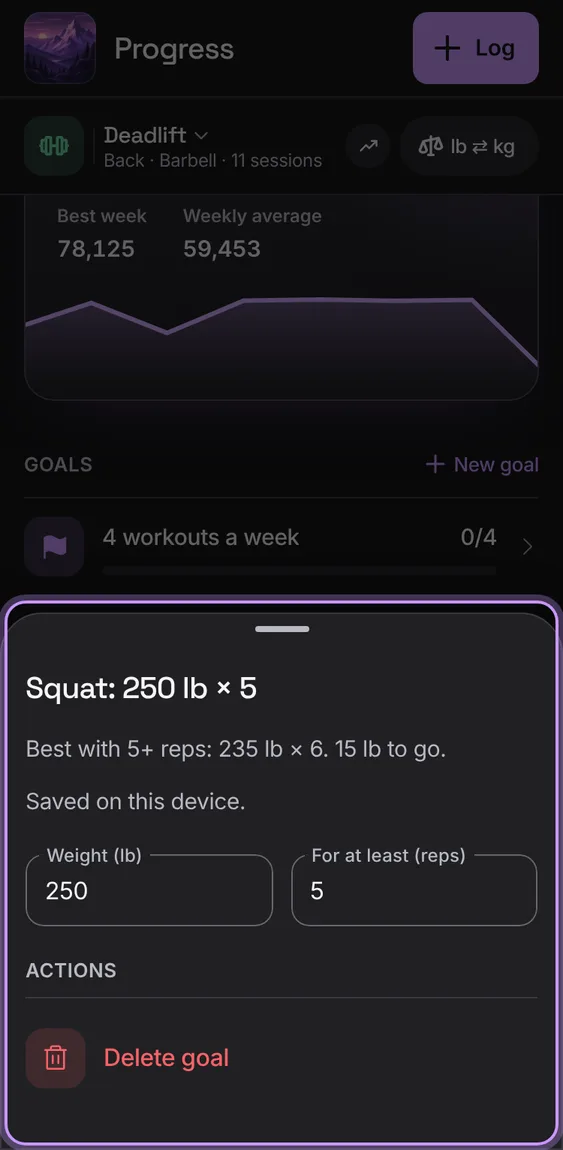
A goal's sheet changes its target and saves each change as it's made, and says so. Delete goal is last; Undo sets it again.
- Tap a goal, change it, and close the sheet.
- Tap Delete goal; Undo in the message.
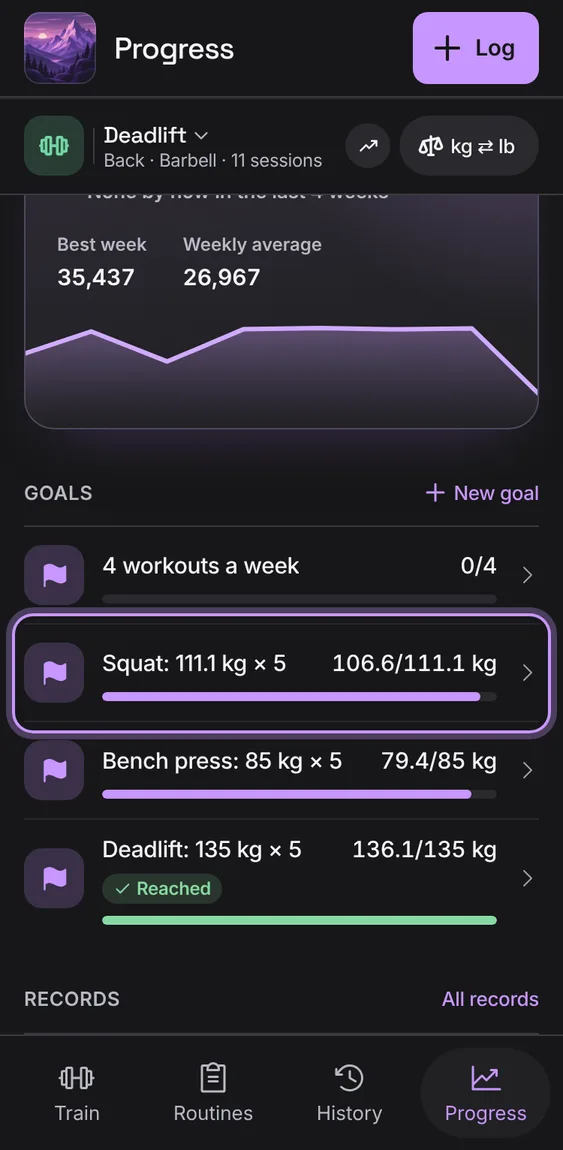
A lift goal reads in pounds or kilograms as you lift, kept to the gram, and is reached as it reads (never "0 lb to go").
- Set a lift goal; switch units and it reads the same.
Choose Workouts a week or A lift to reach: the lift from the lift picker, a weight in your unit and at least how many reps.
- Tap New goal, fill it in, and tap Add goal.