 Hub
Your data
Export what you've saved, bring data in from other apps, and see where it's stored, all from Account.
The Hub’s features play in its own demo, not on this page.
Every Your data feature
Download each app's data in an open format, or everything at once, from this device.
- Account › Export, then an app or Everything.
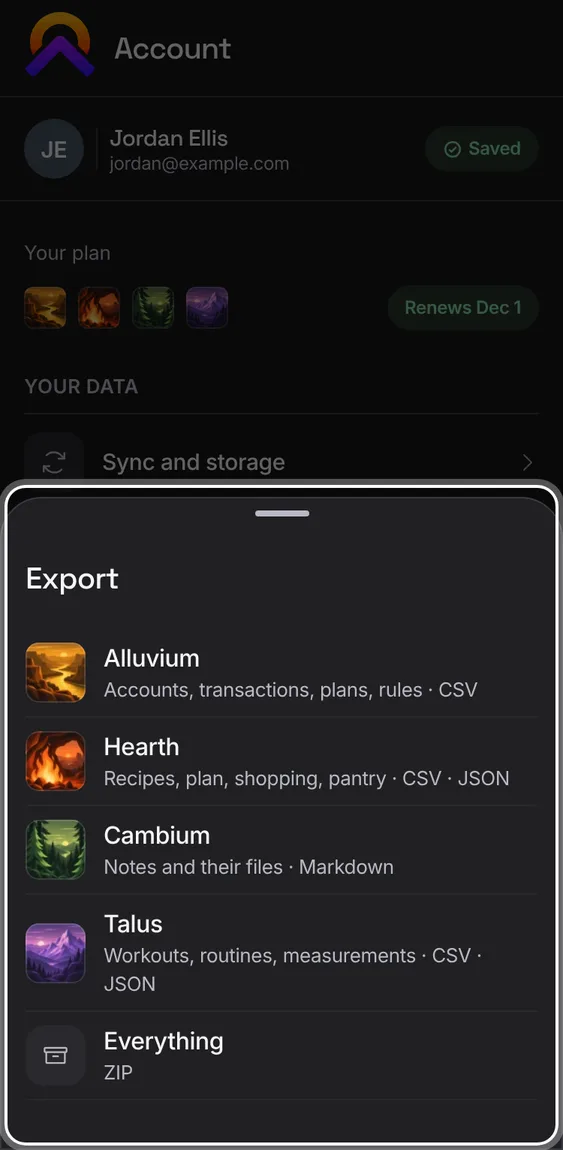
Accounts, transactions, plans and rules, as CSV.
- Export › Alluvium.
Not in the demo. Saves a file to your device.
Your notes and their files, as Markdown.
- Export › Cambium.
Not in the demo. Saves a file to your device.
One ZIP with every app's export, your notes' files and a README with the counts. You can cancel while it gathers.
- Export › Everything. If an app can't be read, it says so and downloads nothing.
Not in the demo. Saves a file to your device.
Recipes, the meal plan, shopping and pantry, as CSV and JSON.
- Export › Hearth.
Not in the demo. Saves a file to your device.
Workouts, routines and measurements, as CSV and JSON.
- Export › Talus.
Not in the demo. Saves a file to your device.
Bring data in: bank transactions, a Hearth archive, notes, or workouts from Strong or Hevy.
- Account › Import, then the app. Each opens that app's own import.
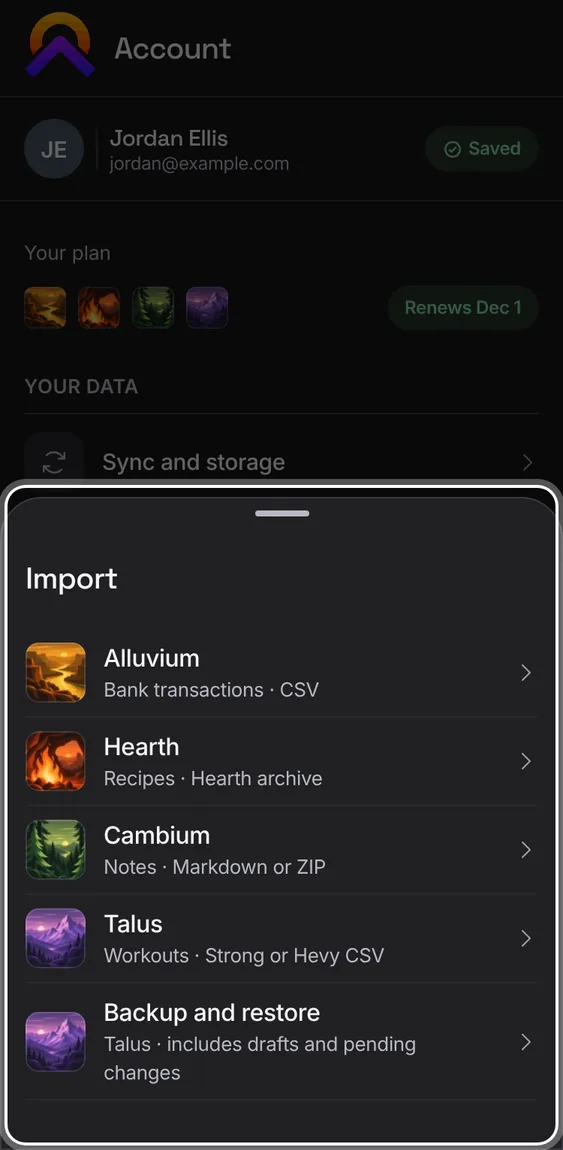
Import a bank's CSV file into Alluvium.
- Import › Alluvium, then choose the file.
Not in the demo. Needs a file from your device.
Bring recipes back from a Hearth archive.
- Import › Hearth, then choose the archive.
Not in the demo. Needs a file from your device.
Import notes into Cambium, or export the whole vault, from Cambium's data sheet.
- Import › Cambium, then Import notes or Export vault.
Not in the demo. Needs a file from your device.
Download a recovery file with every workout, draft and unsent change, and restore it on any browser, even offline.
- Import › Backup and restore, then download or restore a file.
- A damaged file is refused, and restoring never erases newer work.
Not in the demo. Needs a file from your device.
Import a Strong or Hevy CSV into Talus, or export Talus's own. An import can be undone; workouts you've changed since are kept.
- Import › Talus, choose the file, and check what it found.
- Undo removes what that file added.
Not in the demo. Needs a file from your device.
Workouts brought over from the earlier version of Apollo show in Backup and restore, and can be removed on their own, keeping anything added since.
- Import › Backup and restore › Undo the imported history, then confirm.
Not in the demo. Shows with more than the demo holds.