 Hearth
Nutrition and cost
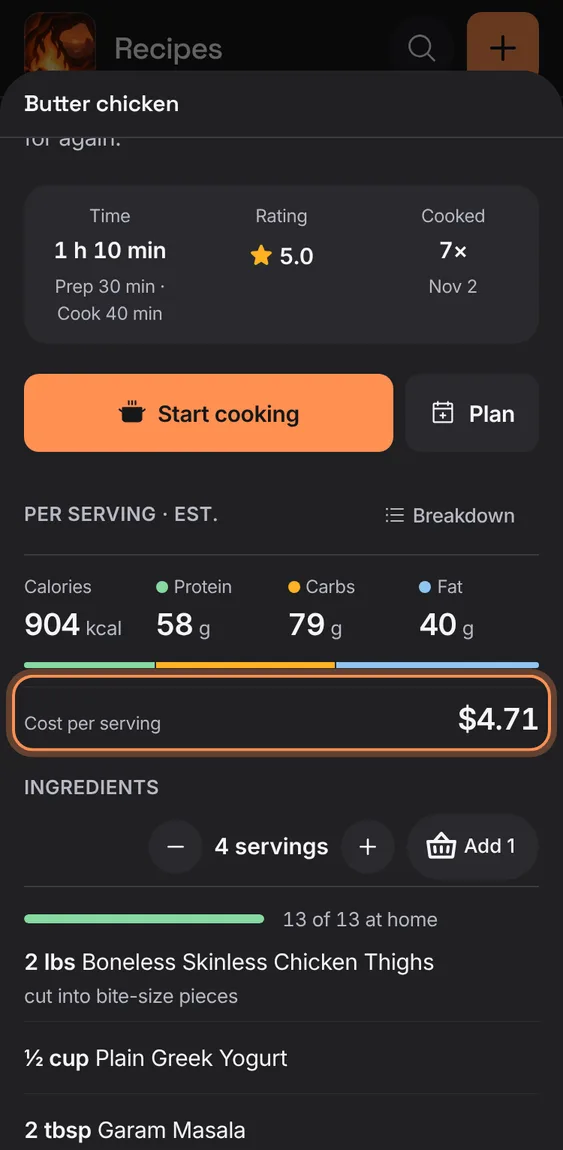
Per serving: calories, protein, carbs and fat, and what it costs, all from the ingredient lines; what isn't known is said, never counted as zero.
Every Nutrition and cost feature
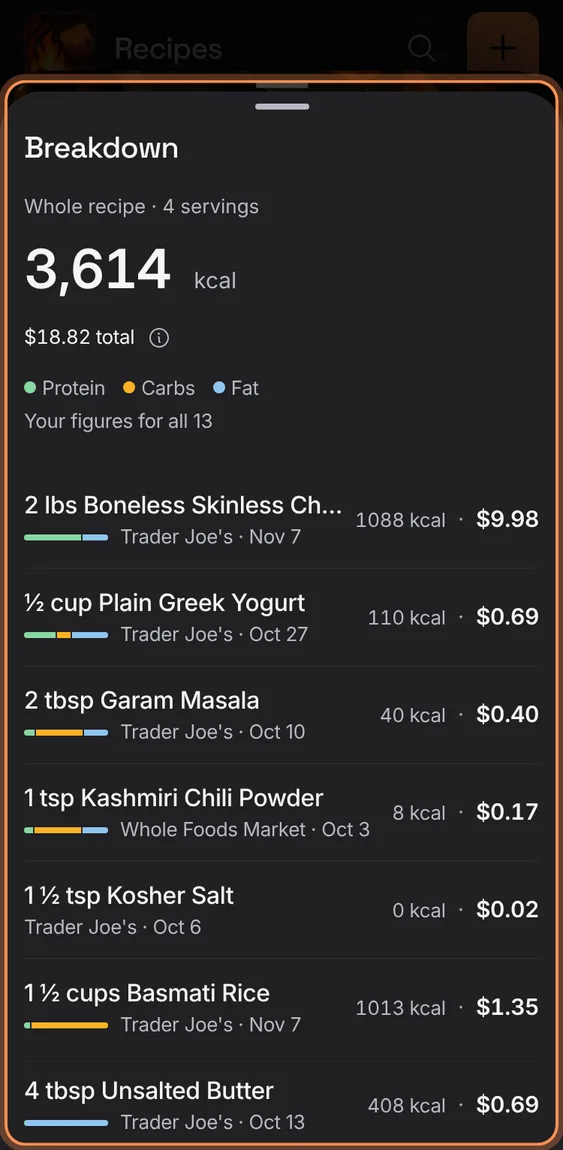
Every ingredient with its calories, an energy bar by protein, carbs and fat, where its figures and price came from, and the whole recipe's total.
- Tap Breakdown by Per serving.
- Lines you've corrected are marked Edited.
Choose another food for a line, enter its weight, have it matched again, or leave it out; your choice is kept from then on.
- In Breakdown, tap a line.
- Search foods, Save weight, Match it for me again, or Don't count this ingredient.
Not in the demo. Needs an account: the demo has none.
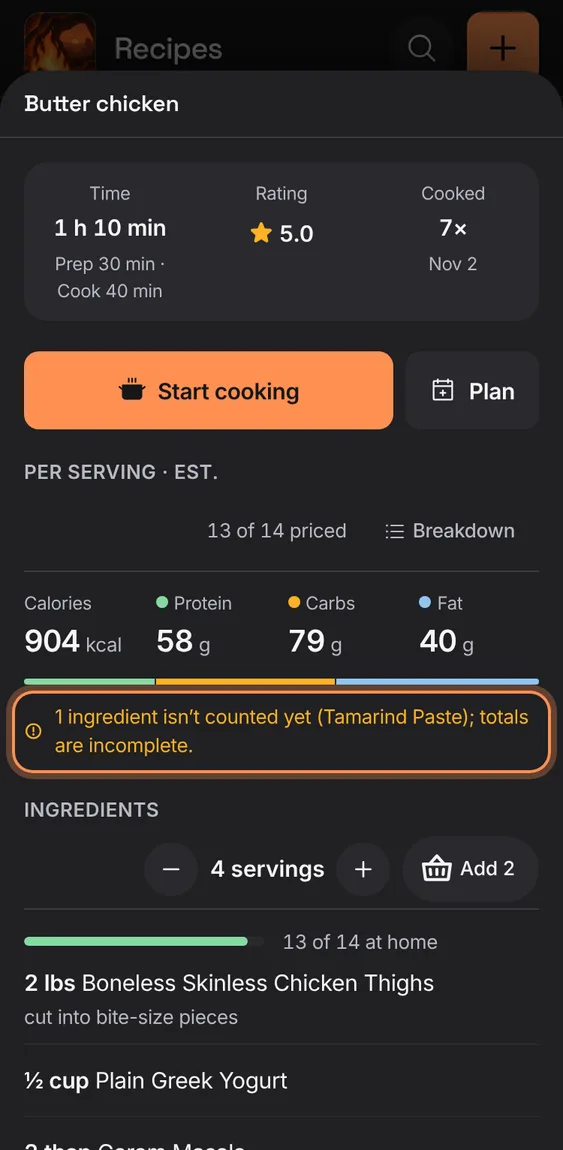
When some lines aren't counted yet or have no amount, the figures say so and name them, marked with a "+".
- Read the note under the figures.
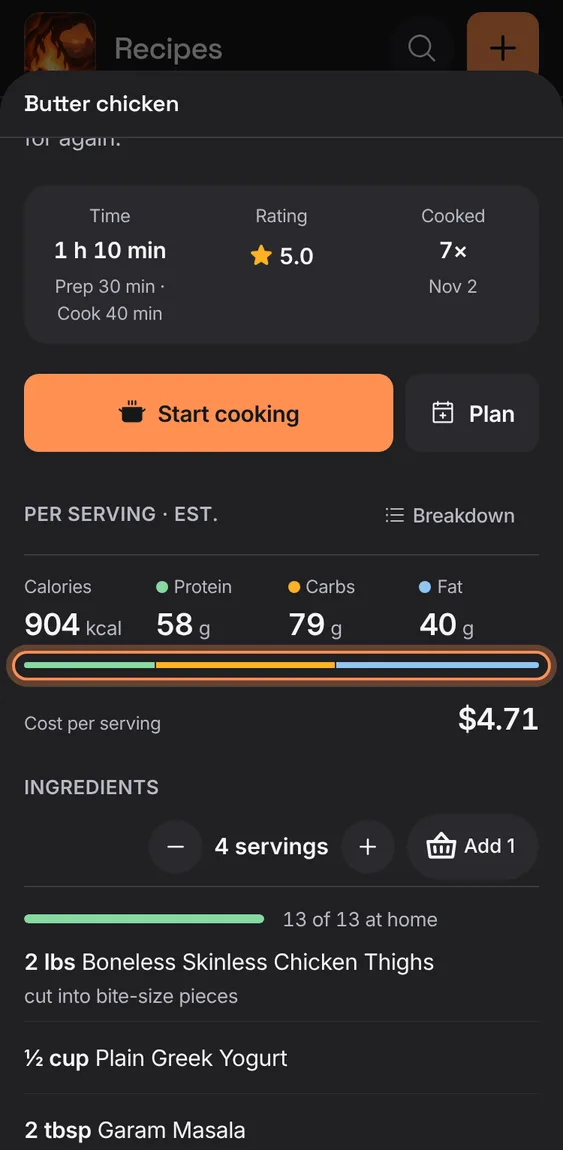
A thin bar splits the calories by protein, carbs and fat, with the grams of each.
- Read it under the figures; Breakdown shows it per line.
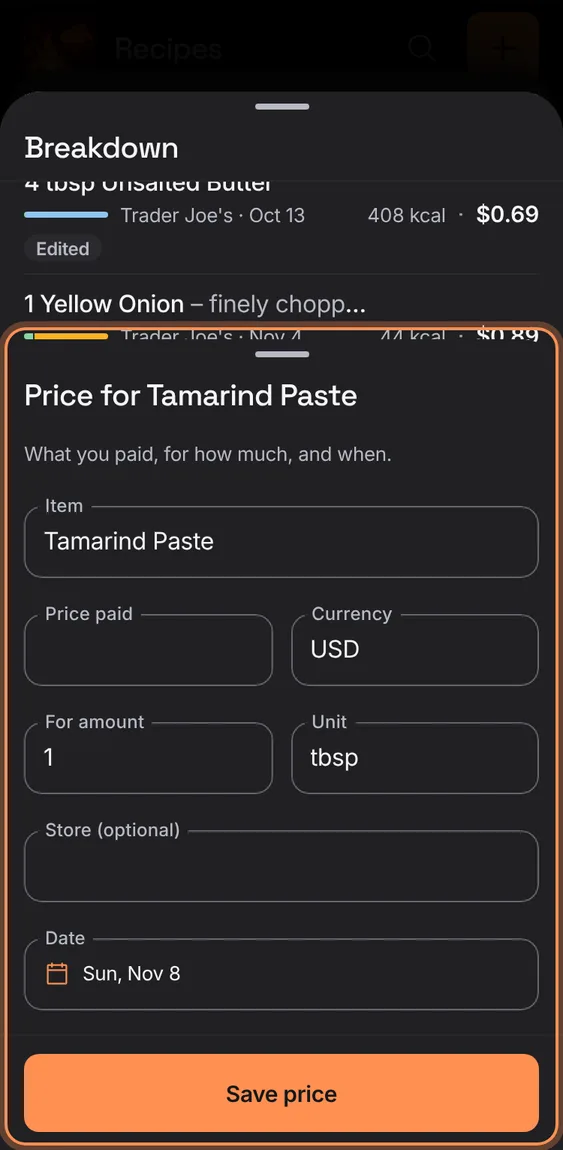
Record what you paid for an ingredient, for how much and when; recipe costs use the latest price in a unit that converts.
- In Breakdown, tap + Price on an unpriced line.
- Enter the price, currency, amount and date, then Save price.
The cost is shown only when every line that can be priced has a price; otherwise it says how many are priced.
- Prices come from Kroger matches and prices you add.
Every ingredient is matched to a USDA FoodData Central food and weighed, behind the scenes; the recipe's own headline figures are never used.
- Nothing to do: lines are matched as they're saved, signed in.
Not in the demo. Needs an account: the demo has none.