 Cambium
Share a note with your household
Notes are private. Share one note at a time with the people in your shared home, and stop sharing whenever you like.
Every Share a note with your household feature
Notes shared in your home are listed after your own, each saying who shared it.
- Open Notes; scroll to Shared with the household.
Not in the demo. Needs an account: the demo has none.
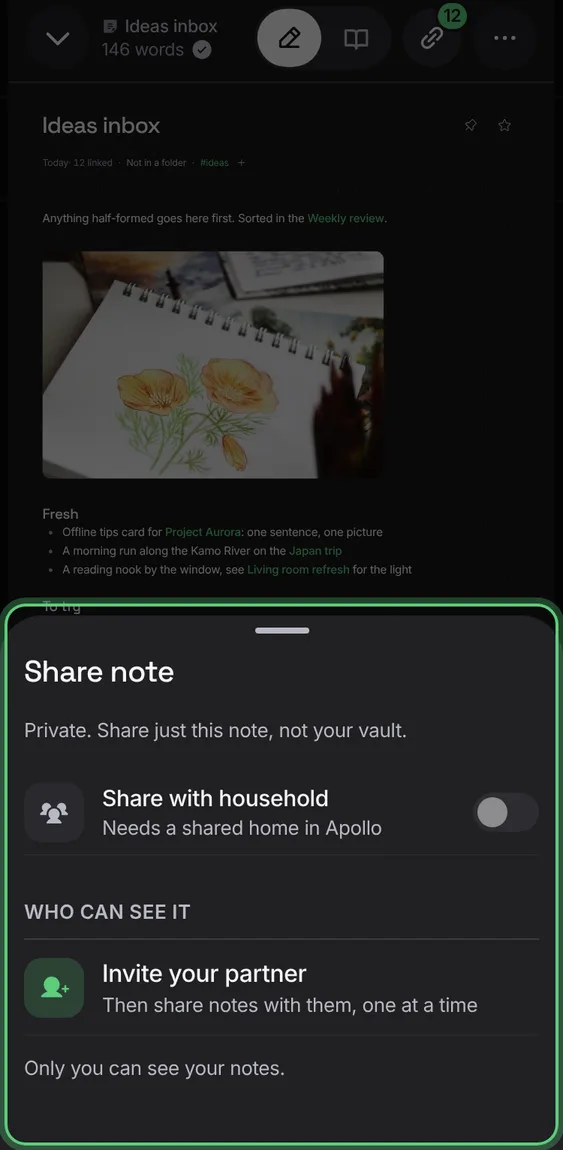
Share is always in the menu; without a shared home it says to invite your partner first.
- Open Share in a note before inviting anyone.
The note moves back to your own notes, and the household loses access to it.
- In Share, turn off Share with household, then confirm.
Not in the demo. Needs an account: the demo has none.
Someone with a view-only role reads a shared note without editing it.
- Open a shared note as a viewer.
Not in the demo. Needs an account: the demo has none.
The Share sheet lists the people in your home and whether each can view or edit, following their role in Partner.
- Open Share in a note.
Not in the demo. Needs an account: the demo has none.