Alluvium
Transfers
Money moved between your own accounts, and card payments, are transfers: never counted as spending or income.
Every Transfers feature
A transfer is always shown and found as a transfer, never as spending or income.
- Pairing makes both sides a transfer.
- Search “transfer” to find them.
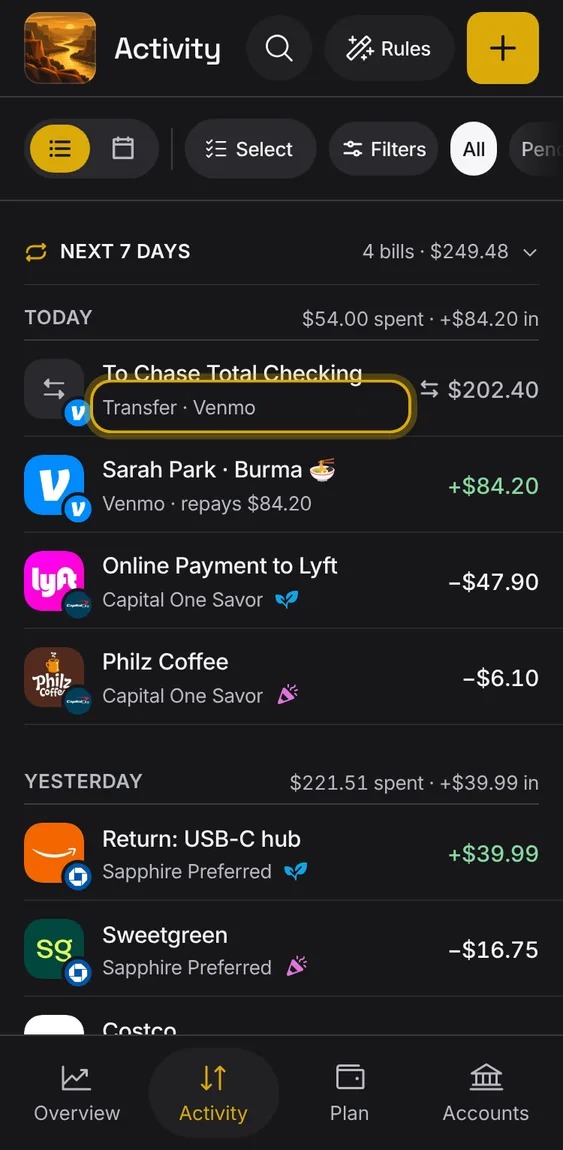
When a transfer paid for a purchase in another account, the purchase shows what funded it, and the transfer isn't counted twice.
- Open the purchase to see its funding underneath.
- The transfer's own rows stay out of the list.
Not in the demo. Shows with more than the demo holds.
A transfer to one of your accounts is named for it even before the other bank sends its side.
- It reads "Waiting for other bank" until both sides arrive.
Not in the demo. Needs an account: the demo has none.
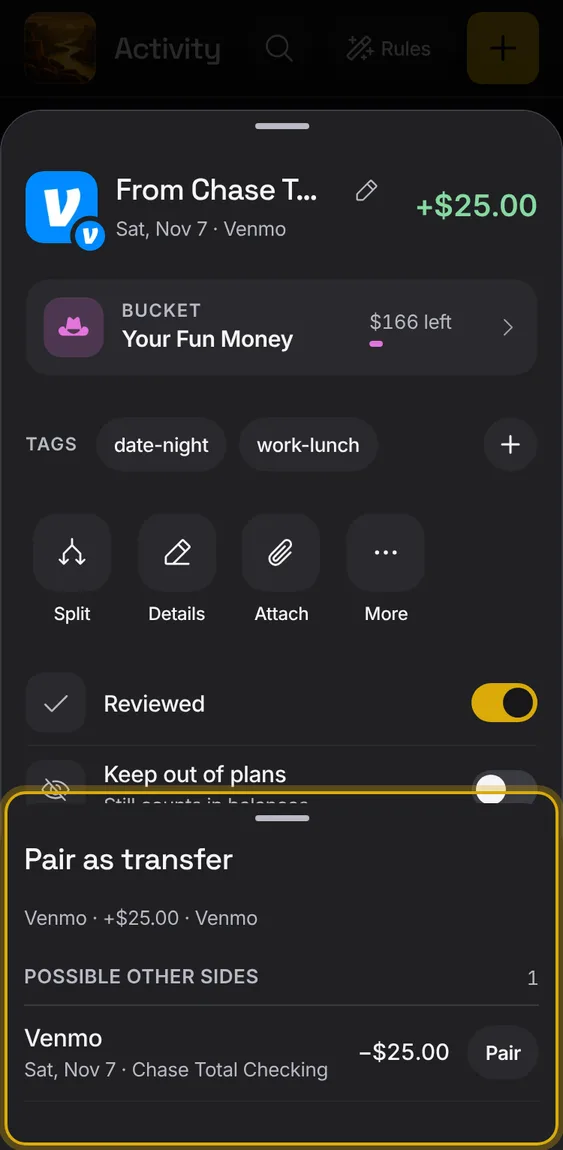
Pair an entry with its other side in another account, so the two count as one transfer.
- In an entry, More → Pair as transfer, then choose the other side.
- If nothing could pair, it says why.
Undo a pairing: Unlink transfer splits the two sides apart, Not a transfer makes a lone side ordinary again.
- In an entry, More → Unlink transfer or Not a transfer.