 Hearth
Kitchen export and import
Download your whole kitchen with photos, print a recipe, and bring an archive back in after a preview.
Every Kitchen export and import feature
Choose a Hearth archive to see what's in it (new, already in your cookbook, looks like one you have) before anything is added.
- Choose a Hearth archive; tick what to import; tap Import N recipes.
Not in the demo. Needs an account: the demo has none.
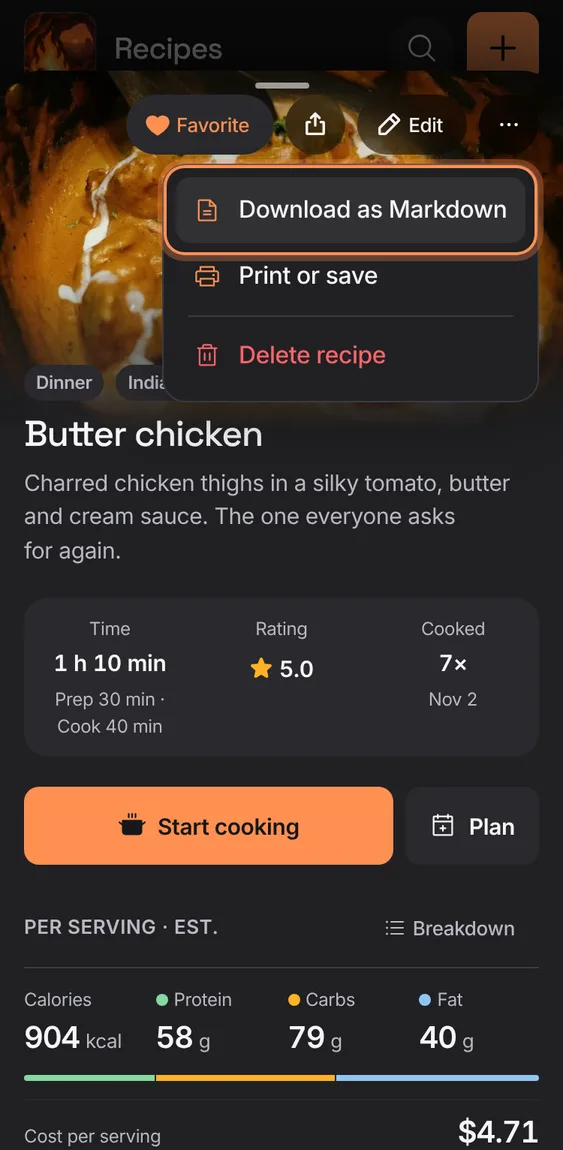
Save one recipe as a readable Markdown file, or print it.
- Recipe ⋯ › Download as Markdown, or Print or save.
Uploaded recipe photos travel inside the archive and are stored again in the importing household.
- Nothing to do; signed out, a photo can't be stored and the recipe says so.
Not in the demo. Needs an account: the demo has none.